
Why you can trust Creative Bloq
Our expert reviewers spend hours testing and comparing products and services so you can choose the best for you. Find out more about how we test.
The Alienware 16 Area-51 is a gaming laptop from Dell, but don’t let that fool you. While Dell laptops are reliably mundane (and mundanely reliable) under their own brand name, when one arrives bearing the Alienware name tag, things often take on a more exciting, more chaotic form, as Dell’s engineers have their shackles unbolted to go absolutely bonkers on design and performance, where subtle aesthetics are yeeted out the nearest window and restraint is left in the dust.
Yes, I’ve found that in the past, this has sometimes led to subpar ergonomics for anyone from outside the core target audience of dedicated gamers, and even basic system stability issues as processors, graphics cards and other hardware and software are cranked to within an inch of their life in search of ultimate performance.
Key specifications
Swipe to scroll horizontally
CPU:
Intel Core Ultra 9 275HX (24-core, 36MB total cache, 2.7-5.4GHz)
NPU:
Integrated AI boost
Graphics:
NVIDIA GeForce RTX 5090 (24GB)
Memory:
32GB DDR5 (6400MT/s)
Storage:
2TB SSD
Screen size:
16in
Screen type:
IPS
Resolution:
2560 x 1600px
Refresh rate:
240Hz
Colour gamut (measured):
99% DCI-P3
Brightness (measured):
488 nits
Ports:
2x Thunderbolt 5, 2x USB-A, 1x HDMI 2.1, 1x SD card slot, 1x headset jack
Wireless connectivity:
Wi-Fi 7, Bluetooth 5.4
Dimensions:
365 x 290 x 28.5mm
Weight:
3.4kg
Design, build and display
(Image credit: Future/Erlingur Einarsson)
• Aggressively designed chassis
• Heavy
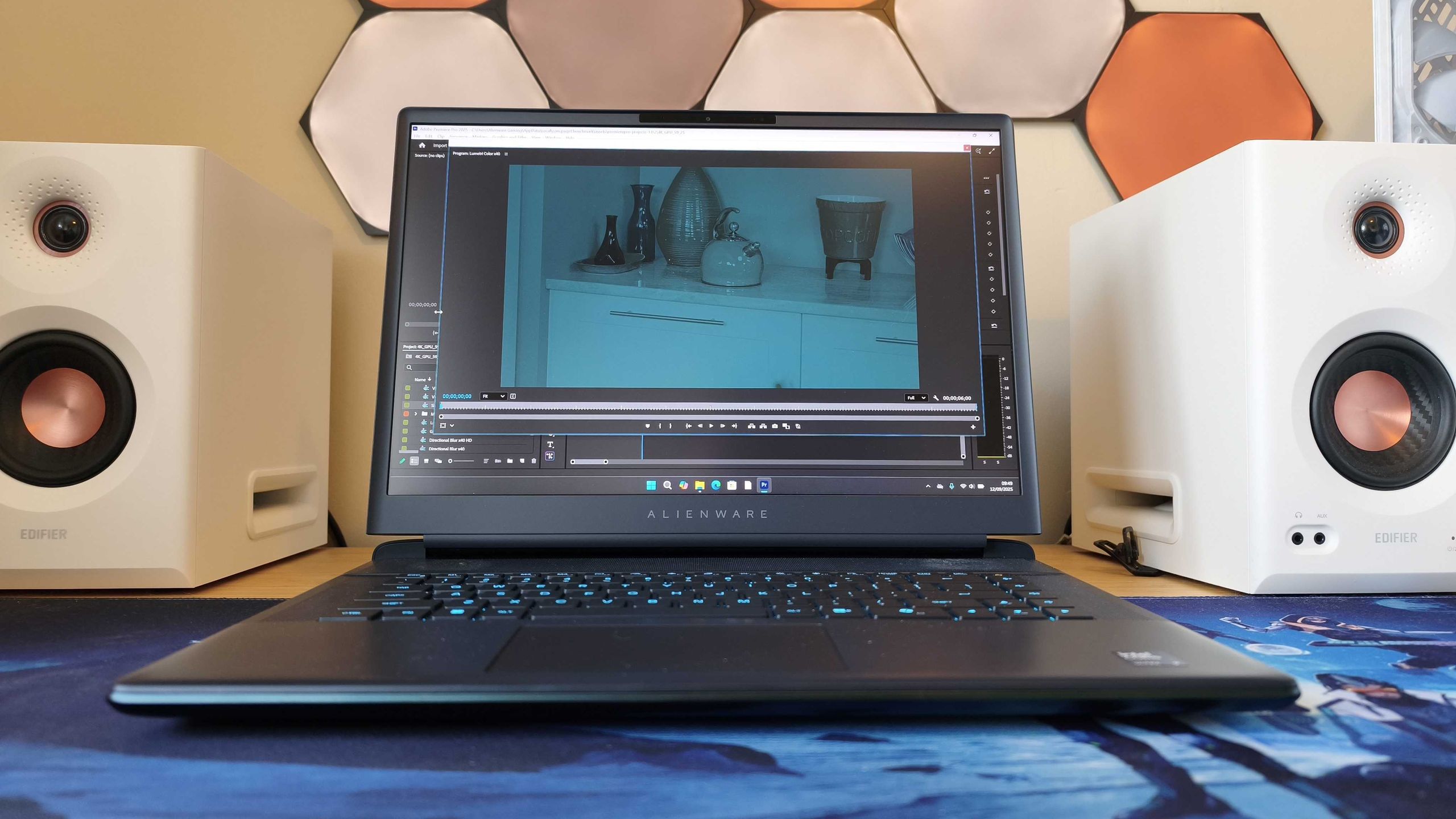
Alienware laptops feel like the cumulative effect of all the restraint that goes into making Dell‘s more business-focused laptops. It all gets pent up and then unleashed on the ones with the alien head logo on them. And the Alienware 16 Area-51 is no different.
As befits a true flagship gaming laptop, there’s precious little subtlety about here. The casing is a mix of metal and refined plastic over a sturdy metal chassis, with a protruding lip out from behind the monitor (to house all that graphics power, see). The lid features an RGB-lit Alienware logo and nothing else, there’s an RGB strip lining the port-heavy backside, the keyboard has per-key RGB as well, and even the touchpad is lit in every customisable colour of the rainbow.
It’s also big. Even the smaller 16-inch model weighs a massive 3.4 kilos, outmuscled only by th
Unlike the similarly understated (and even heavier) Overclockers Pinnacle I tested recently, though, there’s not a full-size keyboard on the 16-inch model (the 18-incher gets a numpad, to be fair). However, it does mean that the keys are well spaced across the working surface, and as befits any self-respecting product from the House of Dell, the keys have a good responsiveness to them, though the touchpad on my review unit did feel a little flimsier than a demanding creative would probably like it. There is the proviso that this is a media-review unit, though, so it will have been through the hands of several journalists, some of whom may be even less delicate than I am.
It’s also generously port-heavy, with a headphone jack on the side, and the rest of the ports lined along the back (for a nice, clean desk, everybody sigh pleasantly please). Those include two Thunderbolt 5 on my review unit (but would be TB 4 if you’re getting the lower-spec 5070-fitted model), two USB-A ports, an SD card slot and an HDMI 2.1 port too. No DisplayPort here though, but the TB 5 port takes care of that with DP compatibility (if you have the requisite DisplayPort-to-USB-C cable, that is).
Design score: 4/5
Screen and Features
(Image credit: Future/Erlingur Einarsson)
• Top-spec internals
• Bright, sharp screen
The screen is an IPS display with a 2560×1600 resolution, which, while not a 4K offering, is bright and sharp, and most importantly for gamers and 3D devs, very, very responsive. The 240Hz max refresh rate ensures smooth motion with any 3D graphics, even under heavy load, and when I measured the colour gamut and brightness, I continued to be impressed.
The spec sheet states a 500-nit brightness and 100% DCI-P3 coverage, and I came well within the margin of error in my measurements using the Datacolor Spyder X2 Ultra, which gave me 488 nits and 99% coverage, respectively.
Inside my test unit I found an Intel Core Ultra 9 275HX processor and the top-of-the-line NVIDIA GeForce RTX 5090 graphics card, promising a healthy return on the potential three and a half grand any potential buyer has to fork out. Some clever fan engineering means that while it does get noisy under load, it’s not as aggressively loud as the Acer Predator Helios (or the aforementioned Overclockers Pinnacle).
There is also a ‘lite’ version of the Alienware 16 Area-51 available, with a 5070 graphics card and the less powerful 255HX processor, along with 16GB of RAM instead of the 32 in the souped-up one.
It comes fitted with Windows 11 Home as standard, along with a 2TB Gen5 PCIe SSD for local storage (the entry-level one has 1TB instead of 2).
Feature score: 4.5/5
Benchmark scores
(Image credit: Future/Erlingur Einarsson)
We test every one of our laptops using the same benchmarking software suite to give you a thorough overview of its suitability for creatives of all disciplines and levels. This includes:
• Geekbench: Tests the CPU for single-core and multi-core power, and the GPU for the system’s potential for gaming, image processing, or video editing.
• Cinebench: Stress-tests the CPU and GPU’s ability to run Cinema 4D and Redshift.
• UL Procyon: Uses UL Solutions’ Procyon software suite to test the system’s ability for AI image generation in Stable Diffusion, its Microsoft Office performance and its battery life.
• Topaz Video AI: We use Topaz Video AI to test the system’s ability to upscale video and convert video to slow-motion.
• PugetBench for Creators: We use the PugetBench for Creators benchmarking suite to test the system’s ability to run several key tasks in Adobe Photoshop and Premiere Pro, as well as its performance when encoding/transcoding video.
• ON1 Resize AI: Tests the system’s ability to resize 5 photos to 200% in a batch process.
Performance
(Image credit: Future/Erlingur Einarsson)
• Fantastic graphics and AI performance
• Predictably poor battery life
As the benchmark charts above show, in particular the AI and video-processing ones, the Alienware 16 Area-51 is one of the most powerful laptops you can get right now. Hardly a surprise as it’s got the top processor and graphics card available on board.
Standout elements here are the Cinebench results, which show that running 3D software such as Cinema 4D is a breeze, and the Geekbench AI results, which highlight the fantastic AI performance of the hardware on board, along with Photoshop performance only outdone by the top MacBook Pro and one Windows PC, and the Premiere Pro result, which is only outdone by two other models we’ve ever tested.
It’s obviously marketed as a gaming laptop, but seeing as the main difference between many gaming and creative computers is merely the presentation, I’m happy to report that you can minimise the RGB light pollution (not that I mind flashy colours myself), for a more studio-like user experience.
There is one slight drawback to this full-throttle approach, though, as I noticed some issues with the laptop sometimes spooling its fans up without any discernible trigger. This issue, I found, stemmed from the laptop overzealously applying the power mode without my input, along with the component heating that entails.
In my third week I also noticed intermittent stability issues with some software and games that should have run without issue (including games such as Anno 1800 crashing), issues that weren’t immediately solved by updating NVIDIA graphics drivers. I also found that some Alienware Command Center settings would roll back to previous values without my input. It should be noted, of course, that I’m not a ‘normal’ user, as I was stress-testing the product on an almost-daily basis, and I can’t discount the possibility of user error either, although I couldn’t pinpoint that in these cases, as I often couldn’t replicate these specific issues.
When it came to battery life, it was predictably poor, with the laptop lasting only just over 3 and a half hours before running out of juice under a ‘normal’ office workload. This is probably not a dealbreaker for many, as its pure heft means you likely won’t be travelling with it too much anyway.
Performance score: 4.5/5
Price
(Image credit: Future/Erlingur Einarsson)
The Alienware 16 Area-51 in base spec will set you back £1,999.01 (yes, that’s one penny plus nineteen-hundred-ninety-nine pounds quid) in the UK and $2,749.99 in the US (curiously with the bigger-horsepower 275HX processor on board in all models), while the 5090-fitted powerhouse I tested will cost you a dramatically more substantial £3,499 in the UK and $4,049.99 in the US before discounts.
Now, that’s not cheap. At allllllllll. I could point out that the more creator-friendly ASUS ProArt P16 is cheaper at £2,799, but that one doesn’t have the 5090 card available at the last stock check (and doesn’t have a light-up touchpad, so there), and this price is largely comparable to equivalent Acer Predator Helios and MSI Stealth models. If all-out performance isn’t the be-all and end-all for you, I would struggle to justify the large price jump from the 5070 model to the 5090 one, though.
Value score: 3/5
Who is it for?
• [bellowed while aggressively crunching up a Monster energy drink can] GAMEEEEEEEEERS
Swipe to scroll horizontallyAlienware 16 Area-51 score card
Attributes
Notes
Rating
Design:
Extremely Alienware, very hefty but sleek, light-up touchpad (?).
4/5
Features:
Thunderbolt 5, bright screen, top internal components.
4.5/5
Performance:
You won’t find many more powerful things this side of a fusion reactor.
4.5/5
Value:
Many money for much power.
3/5
Buy it if…
(Image credit: Future/Erlingur Einarsson)
- You like all your game settings on Ultra Extreme
- You don’t mind some RGB flair as a creative pro
- You have lots and lots of money
Don’t buy it if…
- You value mundane reliability above bleeding-edge performance
- You risk fan-related noise complaints
- Something more… restrained… will do the job
Also consider
The natural option for someone who wants the performance of the Alienware, but without the, erm, extraness of the Alienware. A dream for creative purists.
Cons
- More expensive than some rivals
Acer Predator Helios 16 AI+
The Alienware’s nemesis is still as powerful as ever, as loud as ever, and as exciting as ever, now with more AI (for better and worse).
Alienware 16 Area-51 Gaming Laptop: Price Comparison