

Why you can trust Creative Bloq
Our expert reviewers spend hours testing and comparing products and services so you can choose the best for you. Find out more about how we test.
What more is there to say about the MacBook Pro at this point? Apple has been knocking it out of the orchard with its M5 generation, and if you’ve come here to find out if the 14in MacBook Pro with M5 Max processor is any good, then rest assured that it really, really is. It’s so thunderingly good that it has gone in straight at the top of many of the benchmark tests we use to keep track of which laptop is better than the rest, beating last year’s M4 chips by as much as 68%. If you’re looking for the best creative laptop in 2026 (or the best laptop for CAD, amongst other tasks) and have the cash, look no further.
Key specifications
Swipe to scroll horizontally
CPU:
Apple M5 Max (18 core)
NPU:
Apple Neural Engine
Graphics:
Integrated, 40 cores
Memory:
128GB LPDDR5
Storage:
4TB SSD, SDXC card slot
Screen size:
14in
Screen type:
Liquid Retina XDR (Mini-LED IPS)
Resolution:
3024 × 1964
Refresh rate:
120Hz
Colour gamut (measured):
93% P3
Brightness (measured):
300 nits
Ports:
3x Thunderbolt 5, 1x HDMI 2.1, 1x 3.5mm audio, Magsafe charging
Wireless connectivity:
Wi-Fi 7, Bluetooth 6
Dimensions:
155 x 313 x 221mm
Weight:
2.15kg
Design, build and display
(Image credit: Future / Ian Evenden)
• Familiar design
• Not super thin
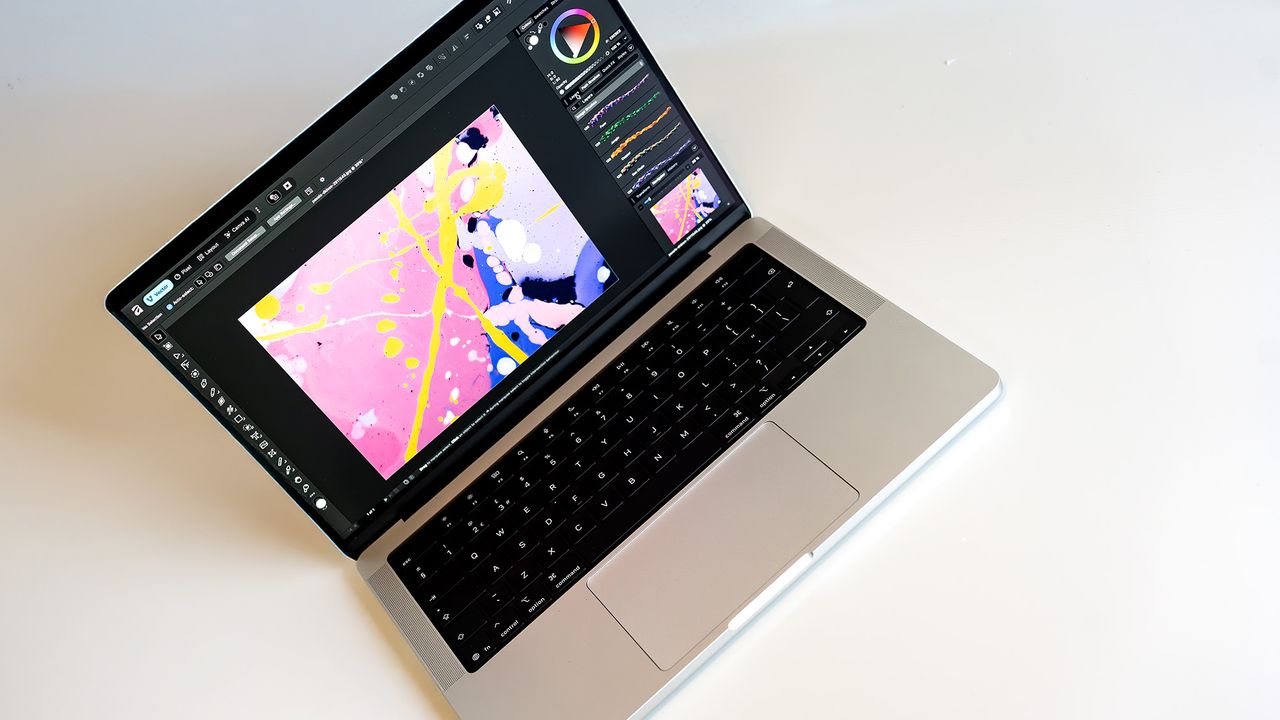
You know what a MacBook Pro looks like. It hasn’t changed for some time. This is a thicker laptop than the MacBook Air, but here in its 14-inch form (a 16-inch version is also available) it’s still smaller and more portable than the few Windows PCs that approach its performance level. It’s not super-thin, but it’s not chunky either. It comes in black or silver, has rounded corners and slab sides, its name is stamped into the underside and the Apple logo in the lid doesn’t light up.
The main design feature of the MacBook Pro is its simplicity. There is almost no difference between this model, which houses the monster M5 Max chip, and the vanilla M5 model that came out at the end of 2025. You’d be hard pressed to find a difference with the earlier M4 model, and looking all the way back to the days when MacBooks came with Touch Bars, there’s been a family resemblance that many European royal lines would be proud of.
Design score: 4/5
Features
(Image credit: Future / Ian Evenden)
• Thunderbolt 5 and Wi-Fi 7
• Same old screen
This M5 Max version of the MacBook Pro has some features that last year’s M5 model should have had. That machine wasn’t disappointing, but when you’re getting the latest Apple laptop, you expect the biggest numbers, so seeing Thunderbolt 4 on a Pro instead of 5 felt like a bit of a let-down. No worries here: all three of the M5 Max Pro’s Thunderbolt 5 ports hit the latest standard, as does its Wi-Fi connection, which has finally ticked over to version 7. What are the chances of you noticing the difference? Low. But it’s always nice to have the newest toys.
Elsewhere, the screen remains the same LED-backlit IPS as MacBook Pros have had for a while now. Apple resists changing to an OLED, or a touchscreen, or adapting the hinges so the screen can open out flat, but that’s probably because there’s no need to.
This is a bright, colour-dense screen with a fast refresh rate, and for most creative applications, that’s good enough. There’s always the option to cover it with the anti-reflective nano-texture display, but it costs an extra $£150. It depends on the lighting conditions you’re working in whether you’ll need it or not.
Build-to-order is now the only way you can get upgrades to the MacBook Pro’s RAM and storage – there’s only one CPU option for the M5 Max, both with 18 cores, but the choice of 32 or 40 cores for its GPU. You can go as high as 128GB of RAM and 4TB of internal storage, but you’ll pay for the privilege.
Feature score: 4/5
Benchmark scores
(Image credit: Future / Ian Evenden)
We test every one of our laptops using the same benchmarking software suite to give you a thorough overview of its suitability for creatives of all disciplines and levels. This includes:
• Geekbench: Tests the CPU for single-core and multi-core power, and the GPU for the system’s potential for gaming, image processing, or video editing. Geekbench AI tests the CPU and GPU on a variety of AI-powered and AI-boosted tasks.
• Cinebench: Tests the CPU and GPU’s ability to run Cinema 4D and Redshift.
Swipe to scroll horizontallyBenchmark results
Test
MacBook Pro 14 M5 Max
MacBook Pro 14 M5
Acer Predator Helios 16 AI (Intel Core Ultra 9 275HX / GeForce RTX 5090)
Geekbench 6 CPU single-core
4,283
4,310
2,977
Geekbench 6 CPU multi-core
29,068
16,443
20,774
Geekbench 6 GPU (OpenCL)
146,477
48,665
214,989
Cinebench 2024 single-core
198
198
129
Cinebench 2024 multi-core
1,578
1,104
1,900
Cinebench 2024 GPU
20,590
6,053
—
Geekbench AI single-precision CPU
5,150
5,318
6,061
Geekbench AI single-precision GPU
27,360
13,219
28,312
Performance
(Image credit: Future / Ian Evenden)
• Unstoppable
• Remarkable graphics power
The M5 Max is, as you’d expect, an absolute beast. There’s an M5 Pro tier between it and the basic M5, so we really are talking about the top of the range unless an M5 Ultra makes an appearance. Apple has changed the naming structure of its cores for the M5 generation too: where once we had Performance and Efficiency cores, the former doing the hard work and the others running the background processes, now we have Super, Performance, and Efficiency.
The new one is actually the Performance level – what were once Performance cores are now Super, with the new Performance core a balanced option between the two. So the M5 has Efficiency and Super, and the M5 Max uses Performance (12) and Super (6).
And it’s extremely fast. It puts out the best single-core performance levels Creative Bloq has ever tested, just overtaking the original M5 at the top of the table. Multi-core performance sees a larger gap, probably because of the larger number of cores available, with the M5 Max beating the M4 Pro that we tested in a Mac Studio by 23.7%. Then comes the M3 Max, leaving the Core Ultra 9 in the Acer Predator Helios 16 AI as the top Windows laptop processor in fourth place. This is sure to change, but a few months into 2026, the M5 Max is the fastest chip out there.
This of course means it’s a dream in creative apps, helped immensely by a 40-core GPU that’s sitting somewhere around the level of Nvidia’s RTX 5070. It beats the 5070 in the Acer Predator Triton, but that was a lower-wattage model than many others sport, and in Cinebench’s rendering test comes in behind an RTX 5080 but ahead of an RTX 4090. Wherever it sits in the hierarchy, and comparing different GPU architectures across different APIs and operating systems is tricky, the likes of Photoshop and Premiere are no sweat for the MacBook Pro whatsoever.
Oddly, the M5 Max posts a very slightly lower score in single-precision AI work than the original M5 – they use the same 16-core NPU – but it’s still well up there in the top third of the table.
Performance score: 5/5
(Image credit: Future / Ian Evenden)
Price
You’re looking at $5,699 / £5,699 for a MacBook Pro of the spec we’ve reviewed here. Whether you can talk your boss into it, or you are the boss and feel like treating yourself, that’s not an insignificant amount of money. It will be worth it if owning this laptop can accelerate your workflow in ways that make you more cash, but it’s not a purchase to be taken lightly.
Value score: 3/5
Who is it for?
• Motion pros
This machine is too much for graphic design or image editing – although it excels at them. You’ll only be considering this if you have high-res video, or 3D VFX, to deal with.
Swipe to scroll horizontallyApple MacBook Pro 14 M5 Max score card
Attributes
Notes
Rating
Design:
Looks like every other MacBook Pro of the past few years.
4/5
Features:
Gets the latest Thunderbolt and Wi-Fi spec.
4/5
Performance:
Blows everything else away.
5/5
Value:
Enormously expensive.
3/5
(Image credit: Future / Ian Evenden)
Buy it if…
- You need the best
- You can stomach the cost
- It will genuinely empower your work
Don’t buy it if…
- You need a bigger screen
- You balk at the price
- Something lower down the scale will do
Also consider
The MacBook Pro is the go-to laptop for creatives, and this 14in model is more reasonably priced than the M5 Max, yet still packs a processing punch.
The ProArt P16 is the flagship of ASUS’ new ProArt range for creative professionals, and proudly succeeds the mighty Studiobook as a powerful, feature-rich, studio-ready leader to rule the varied laptop tribes beneath it.
A laptop aimed at STEM professionals (and engineers) will attract anyone who needs rendering power, and that includes video editors and 3D artists. This 18-inch model from MSI certainly provides the power, but it comes at a price.
Apple MacBook Pro 14-inch M5 Max: Price Comparison